

This post contains affiliate links. As an Amazon Associate I earn from qualifying purchases. Read my full affiliate disclosure.
If you’re figuring out how to use AI to prepare for a job interview, use it as a practice partner, not a script writer: paste in the job description and your résumé, ask it to predict the questions you’ll realistically get, turn your real experience into short STAR stories, then have it run a mock interview one question at a time and give you feedback. Verify any company facts it gives you, protect your personal data, and put every answer in your own words — career centers at MIT and Harvard both warn against memorizing AI-written answers.
The night before my first interview after the layoff, I sat at my kitchen table with a printed job description and a stomach full of knots. It had been years since anyone had asked me to “walk them through my résumé,” and I could feel my mind going blank just thinking about it. So I opened an AI chat, pasted in the posting, and typed, “Interview me for this job.” It was the most useful hour of prep I’d done in a decade — once I learned how to steer it.
This is the exact process I use now, built on guidance from university career centers, Google and the U.S. Department of Labor, plus the prompts I keep coming back to. If you haven’t used AI much yet, start with my AI for beginners guide. If your résumé still needs work, read how to use ChatGPT to write a resume first — your interview prep will build right on top of it.
Can AI Really Help You Prepare for a Job Interview?
Yes — and you won’t be the only candidate using it. A Gartner survey of 3,290 job candidates found that 39% used AI during the application process, mostly to write résumé and cover letter text (Gartner, 2025). Career offices have caught up, too. MIT’s Career Advising & Professional Development now publishes AI prompts for brainstorming questions, researching companies and running practice interviews.
But every career center I read draws the same line. AI is good at:
- Predicting likely questions from a job description.
- Helping you organize your stories so they have a clear beginning, middle and result.
- Giving you on-demand practice at 11 p.m. when no friend is available to quiz you.
- Giving quick feedback on structure, clarity and missing details.
And it is not good at knowing you. The University of Manchester’s careers service points out that AI output can be out of date, generic, or simply made up (so-called “hallucinations”), and that it can’t reflect how your experience actually fits the role. MIT adds that AI can help with the structure of your answers but can’t fine-tune your delivery. So use it for the reps, and keep the judgment for yourself.
Step 1: Give AI the Job Description and Your Résumé (Safely)
Good prep starts with good context. The more specific you are — the job title, the industry, your background — the more tailored the questions and feedback will be. That’s straight from UConn’s Center for Career Readiness, and it matched my experience exactly. “Interview me for a marketing job” got me generic fluff. Pasting the actual posting got me questions I was later asked word for word.
Before you paste anything, clean it up:
- Remove your home address, phone number and personal email from the résumé copy you share. The AI doesn’t need them to help you.
- Never paste confidential details from your old employer — client names, internal numbers, anything covered by a severance or nondisclosure agreement.
- Use a private mode if your tool has one. MIT suggests using your AI platform’s “temporary chat” feature so your data isn’t saved. In ChatGPT, OpenAI says a temporary chat stays out of your chat history and isn’t used to improve its models, though a copy may be kept for up to 30 days for safety purposes.
Step 2: Ask AI to Predict the Questions You’ll Actually Get
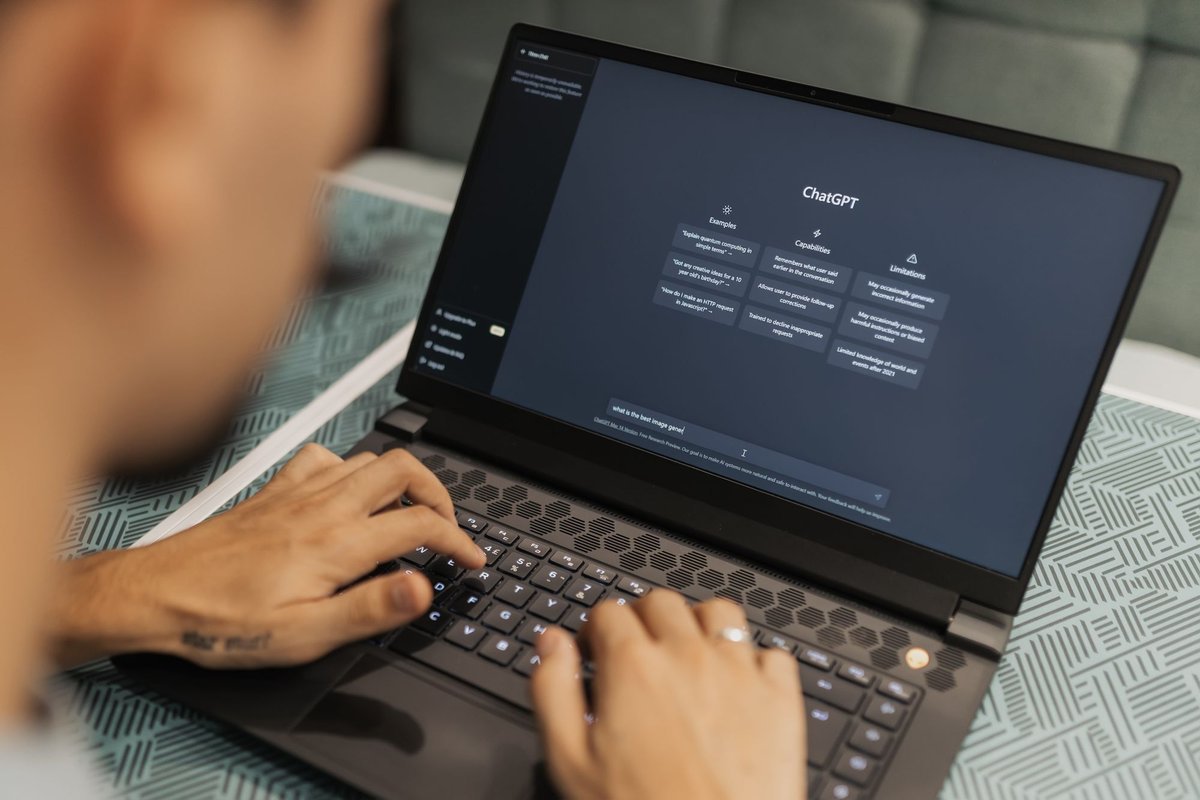
This is where AI saves the most time. Ask it to read the posting and tell you which skills the employer is likely to probe — then match those to your own experience. MIT’s version of this prompt is the one I use most, and I love that it asks for talking points instead of scripted answers:
“Here is my resume and a job description. Review the job description, predict what core competencies I will be asked about in an interview, and then give me ideas for which bullet points can effectively address these competencies. Provide talking points I can utilize, not scripted answers.”
Then ask for a list of practice questions — role-specific ones plus general behavioral ones. MIT suggests capping it at about 25, then asking the AI to narrow that list to what would realistically come up in a 30-minute interview, because real interviews cover far fewer questions than you’d expect.
Go through the shortlist and ask yourself one honest question for each: Do I have a real example ready for this? Every “no” is where your prep time should go. And if a question doesn’t fit the role, push back. As MIT puts it, you know the role better than AI does.
Step 3: Turn Your Real Experience Into STAR Stories
Most interviews include behavioral questions — the “tell me about a time when…” kind. Grow with Google’s interview guide calls the STAR method the go-to strategy for those:
- Situation: the context you were in.
- Task: the challenge or goal you needed to handle.
- Action: the specific steps you took.
- Result: the outcome — ideally with a number — or what you learned.
Here’s how I used AI for this. I described a messy project from my old job out loud using voice-to-text, rambling and all, and asked the AI to pull out the most interesting parts for an interviewer and sort them into STAR. MIT recommends exactly this approach, noting that speaking can feel more natural and lets you include more detail.
What came back wasn’t my answer. It was my raw material, organized. I rewrote each story in my own words, added the real numbers, and ended up with six stories I could bend to fit almost any behavioral question. Google’s guide makes the case for specifics: “I negotiated a 15% reduction in costs with our vendors” lands harder than “I helped save the company money.”
Step 4: Research the Company — Then Verify Everything
Employers want to see that you understand their business, not just the job. Google recommends looking past the company website to recent press releases, industry reports, social media and even customer reviews.
AI can give you a fast first pass. MIT’s research prompt asks the AI to sort what it finds into “must know” (anything that could change how you answer a question or what you ask at the end) and “good to know,” and to flag anything you should verify yourself, with links.
That last part matters. The night before one interview, an AI summary told me the company had just launched a product line. When I checked their newsroom, that launch had been announced and then scrapped months earlier. Imagine bringing that up as a compliment. MIT’s advice is blunt: for anything critical, verify it, and hesitate to mention anything in an interview you haven’t personally confirmed.
If you want a classic question bank to practice with: Best Answers to the 201 Most Frequently Asked Interview Questions by Matthew J. DeLuca and Nanette F. DeLuca explains the motivation behind common questions — including how to address a lost job — which gives you great material to feed into your AI mock interviews.
Step 5: Run a Mock Interview With AI — Out Loud

Reading answers in your head is not the same as saying them. CareerOneStop, sponsored by the U.S. Department of Labor, recommends practicing your answers to common questions both on paper and out loud.
Here’s the practice prompt I adapted from MIT. The key instruction is that the AI should not rewrite your answers for you:
“Using the questions above, ask me one at a time and wait for my answer before continuing. After each answer, give me short feedback: what worked, the one change that would improve it most, and whether any part of STAR is missing. Do not rewrite my answer. After five questions, tell me the patterns you noticed across all of my answers.”
If your AI app has a voice mode, use it — it feels much more like a real conversation. Google suggests the Gemini mobile app’s Gemini Live for simulating a real-time, conversational interview with feedback. I also record myself on my phone for one round so I can catch the things AI misses, like how many times I say “um” or whether I look at the camera.
After each round, read the feedback, pick one thing to fix, and run it again later. Repetition is what makes you sound calm instead of rehearsed.
Step 6: Practice the Hard Questions You’re Dreading
For me, that was “Why did you leave your last job?” I practiced it with AI more than any other question, asking it to play a skeptical interviewer and follow up with “Why were you chosen?” I give the full framework and eight sample answers in my guide on how to explain being laid off in an interview.
Other questions worth extra reps:
- “Tell me about yourself.” Google recommends a succinct 30–60 second pitch that’s practiced but doesn’t feel scripted.
- “What’s your biggest weakness?” Ask AI to poke holes in your answer until it sounds honest instead of humble-bragging.
- “Tell me about a gap in your résumé.” Keep it short and move to what you’ve been doing — courses, volunteering, freelance work.
- A situational question for your field — “What would you do if…” Ask AI to generate three, then talk through the steps you’d take.
Step 7: Prepare Your Questions and Your Thank-You Note
An interview is a two-way conversation, and CareerOneStop notes that employers can read “no questions” as a sign you’re not interested. Ask AI to suggest questions based on your company research, then pick two or three that genuinely matter to you. My favorite, from Google’s guide: “What does success look like in this role during the first 90 days?”
After the interview, CareerOneStop recommends sending a thank-you note within 24 hours, addressed to the interviewer by name. AI is great for a first draft — Harvard’s career center even includes a thank-you note prompt — but add one specific detail from your actual conversation so it doesn’t read like a template.
How Do You Prepare for a Video or AI-Run Interview?
More first-round interviews are happening on screen, and some aren’t run by a person at all. In a Gartner survey of 2,901 job candidates, 9% had completed an interview with an AI interviewer, and only 31% of those said they knew ahead of time that it would be AI (HR Dive, 2026). Harvard’s career center notes that some recruiters use AI to evaluate recorded video interviews, including your responses and tone.
So ask the recruiter what format to expect, and prepare your setup like it’s part of the interview — because it is:
- Test your camera, mic and internet the day before. CareerOneStop suggests being ready to sign on 10–15 minutes early.
- Put the light in front of you, not behind you. A bright window at your back turns you into a silhouette.
- Raise the camera to eye level with a stack of books.
- Silence your phone and close every other tab.
If your laptop camera is grainy: the Logitech C920x HD Pro Webcam records in full HD 1080p, has a built-in stereo microphone and works with Zoom, Microsoft Teams and Google Meet — a simple upgrade for video and recorded interviews.
If your room is dim or backlit: the Lume Cube Video Conference Lighting Kit clips onto your laptop and lets you adjust brightness and color temperature, so you are evenly lit on camera instead of sitting in shadow.
Should You Use AI During the Interview Itself?
My answer is no — not unless the employer specifically invites you to. Gartner found that 13% of candidates reported using generative AI in real time during an interview, and 41% of those used it to generate answers to questions (HR Dive, 2026). Gartner is also advising recruiters to train interviewers to spot it, watching for unusual pauses, overly polished sentences, heavy jargon and trouble answering follow-up questions.
UConn’s career center says it plainly: when you recite AI-generated content word for word or use AI for real-time answers, it’s obvious to the interviewer. Employers want to see your personality and real interpersonal connection. All the prep happens before. In the room — or on the call — it’s just you.
My Simple AI Interview Prep Workflow
Here’s the routine I follow for every interview now, usually over two or three days:
- Day 1 (about an hour): Paste in the posting and my cleaned-up résumé. Get the predicted competencies, the 25 questions and the realistic shortlist.
- Day 1, later: Talk through my stories and organize them into STAR. Rewrite each one in my own words.
- Day 2: Run the company research prompt, then verify the “must know” items on the company’s own site and newsroom.
- Day 2, later: Do two out-loud mock interview rounds with AI, fixing one thing between rounds.
- Day 3: Do one round with a real person, test my tech, and choose my questions for the interviewer.
- After the interview: Draft a thank-you note with AI, personalize it, and send it within 24 hours.
If you’re building this into your weekly routine, my post on how to structure your day when unemployed shows where interview prep fits in a realistic schedule.
Don’t Skip the Human Mock Interview
AI got me comfortable. A real person got me ready. Every career center I read recommends pairing AI practice with a mock interview from a career coach, mentor or friend who can catch the nuances AI misses.
If you don’t have a career office anymore, you still have options. CareerOneStop says you can request a free mock interview at an American Job Center, and the U.S. Department of Labor says there are about 2,300 of them nationwide, with reemployment services available to people receiving unemployment insurance. Services vary by state, so call your local center first. That free session was where I learned I talk too fast when I’m nervous — something no chatbot had flagged.
Frequently Asked Questions About Using AI to Prepare for a Job Interview
How do I use AI to prepare for a job interview?
Paste the job description and a cleaned-up copy of your résumé into an AI tool and ask it to predict the skills and questions you’re likely to face. Use it to organize your real experiences into STAR stories, research the company (then verify the facts), and run a mock interview one question at a time with short feedback after each answer. Then practice with a real person before the interview.
Is it okay to use ChatGPT to practice for an interview?
Yes. Career centers at MIT, Harvard and UConn all suggest using generative AI to generate practice questions and get feedback on your answers. The rule is to use it for practice, not for scripts: put every answer in your own words and don’t memorize AI-written responses.
Can I use AI during a live job interview?
Not unless the employer says you can. Gartner found 13% of candidates reported using generative AI in real time during interviews, and it is advising recruiters to train interviewers to spot signs like unusual pauses and overly polished answers. Do your AI prep beforehand and answer in your own words during the interview.
What is the best AI prompt for interview practice?
Ask the AI to act as the interviewer for the specific job, ask you one question at a time, wait for your answer, and give brief feedback on what worked, the one biggest improvement and whether any part of the STAR method is missing — without rewriting your answer for you.
Is it safe to put my résumé into an AI tool?
Remove personal details like your address, phone number and personal email first, and never paste confidential information from a past employer. MIT suggests using your AI tool’s temporary chat feature so your data isn’t saved; in ChatGPT, OpenAI says temporary chats aren’t used to train its models, though a copy may be kept for up to 30 days for safety purposes.
Where can I get a free mock interview with a real person?
If you’re in the U.S., CareerOneStop says you can request a free mock interview at an American Job Center. There are about 2,300 centers nationwide, and services vary by state, so contact your local center to ask what it offers.
The Reset’s Take: Let AI Do the Reps, Not the Talking
After a layoff, an interview can feel like a test of whether you still have it. You do. You just haven’t had to say it out loud in a while. That’s what AI is really good for: endless, judgment-free practice until your real stories come out clear and calm.
Learning how to use AI to prepare for a job interview isn’t about sounding perfect. Walk in knowing your stories, knowing the company and knowing what you want to ask. The answers should still sound like you, because the person they’re hiring is you.
Sources
- MIT Career Advising & Professional Development. Using AI for interview prep.
- Harvard FAS Mignone Center for Career Success. AI for Interviews and Offers.
- University of Manchester Careers Service. Using AI for interview practice and preparation.
- UConn Center for Career Readiness and Life Skills. Using AI for Interview Preparation.
- Grow with Google. How to prepare for an interview.
- Gartner (July 31, 2025). Gartner Survey Shows Just 26% of Job Applicants Trust AI Will Fairly Evaluate Them.
- Kohn, J. (Jan. 20, 2026). Human touch vs. AI: Navigating the new hiring landscape. HR Dive.
- CareerOneStop, U.S. Department of Labor. Get ready to interview.
- U.S. Department of Labor. American Job Centers.
- OpenAI Help Center. Temporary chat in ChatGPT.
This article is for general informational purposes only and is not career or legal advice. AI tools change often, and their features and privacy settings may differ from what’s described here, so check your tool’s current policies. Always follow each employer’s rules about AI use during the hiring process.
